
In this blog, we’ll explore the way in which you can increase disk and bandwidth usage on CyberPanel, a popular control panel for web hosting, to enhance the performance and speed of your website.
This involves very simple steps.
Let’s get going!
How to Increase Disk and Bandwidth Usage on CyberPanel
If you have added a website on CyberPanel, then we’ll proceed on modifying a package. If you don’t know how to add a website, you can read this tutorial.
Step 1: Modify Package
On the left menu, select Package > Modify Package > Select Default
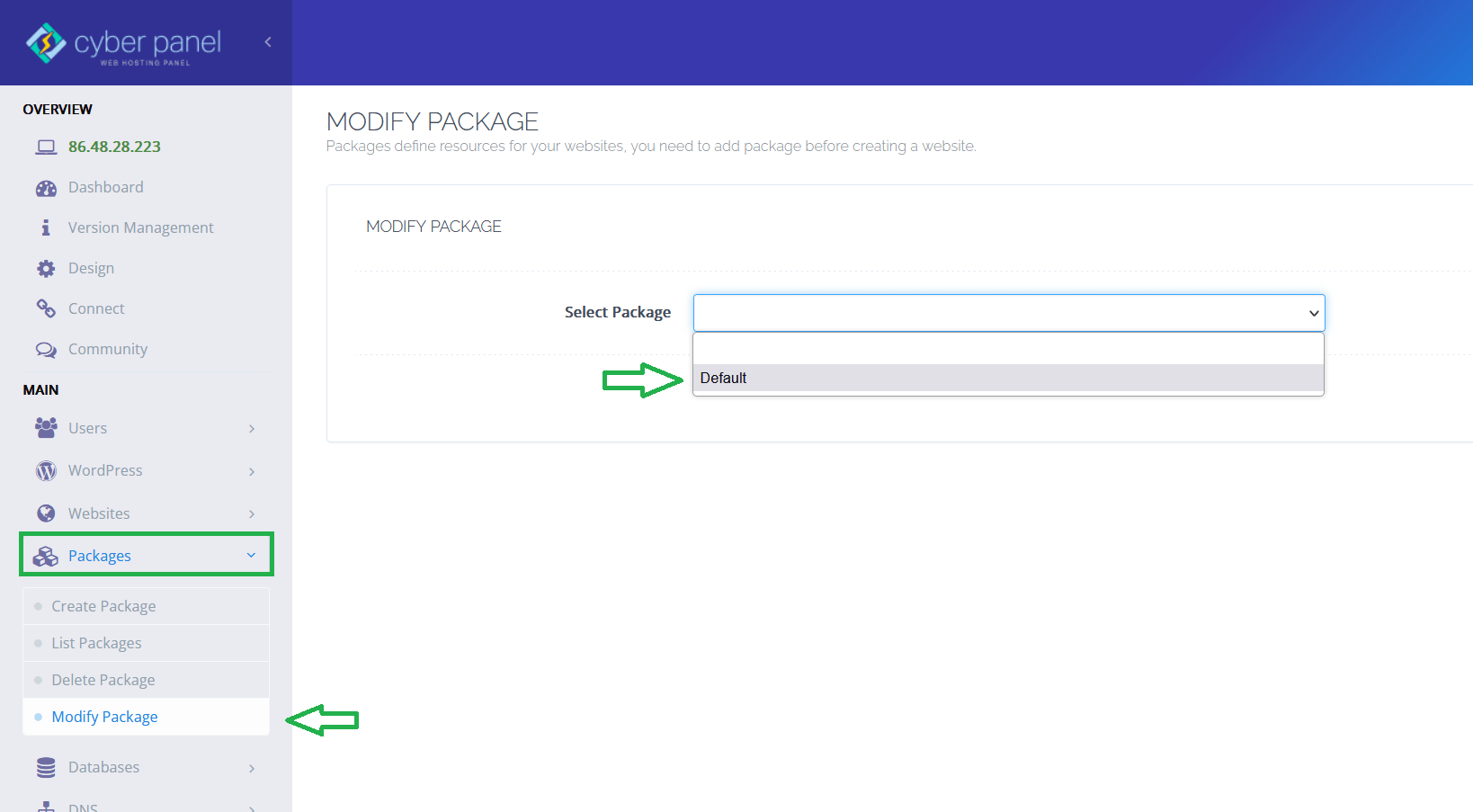
Step 2. Modify Disk Space and Bandwidth
By default, after adding a website on CyberPanel, your website will have 1GB disk space and 1GB bandwidth. I am using Contabo Cloud VPS which has 4 vCPU Cores, 8GB RAM, 50 GB NVMe or 200 GB SSD and 32 TB Traffic.
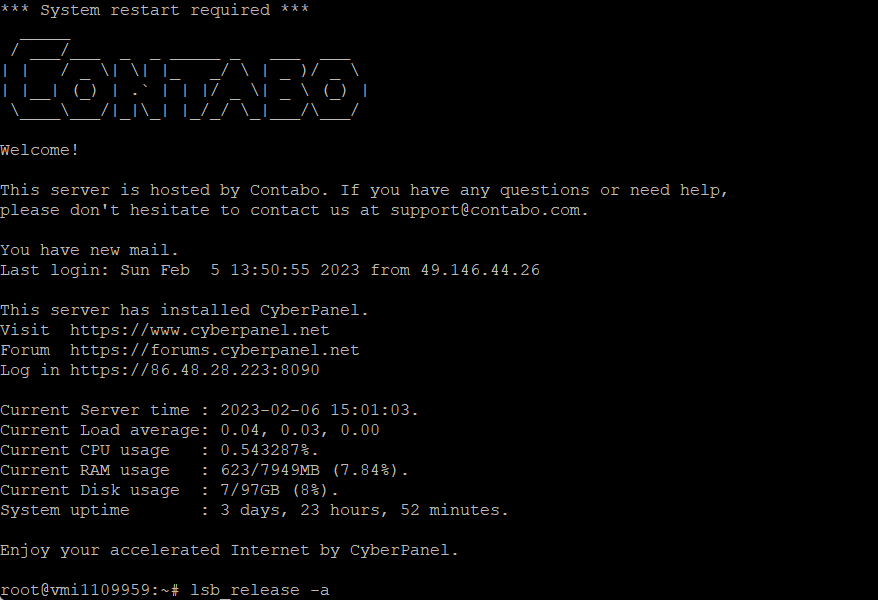
In this tutorial, we will modify disk space from 1GB to 5GB and bandwidth from 1GB to 10GB.
Since the size format is MB (megabytes), we’ll make it 5,000MB for disk space and 10,000MB for bandwidth. Note: 1,000MB = 1GB.
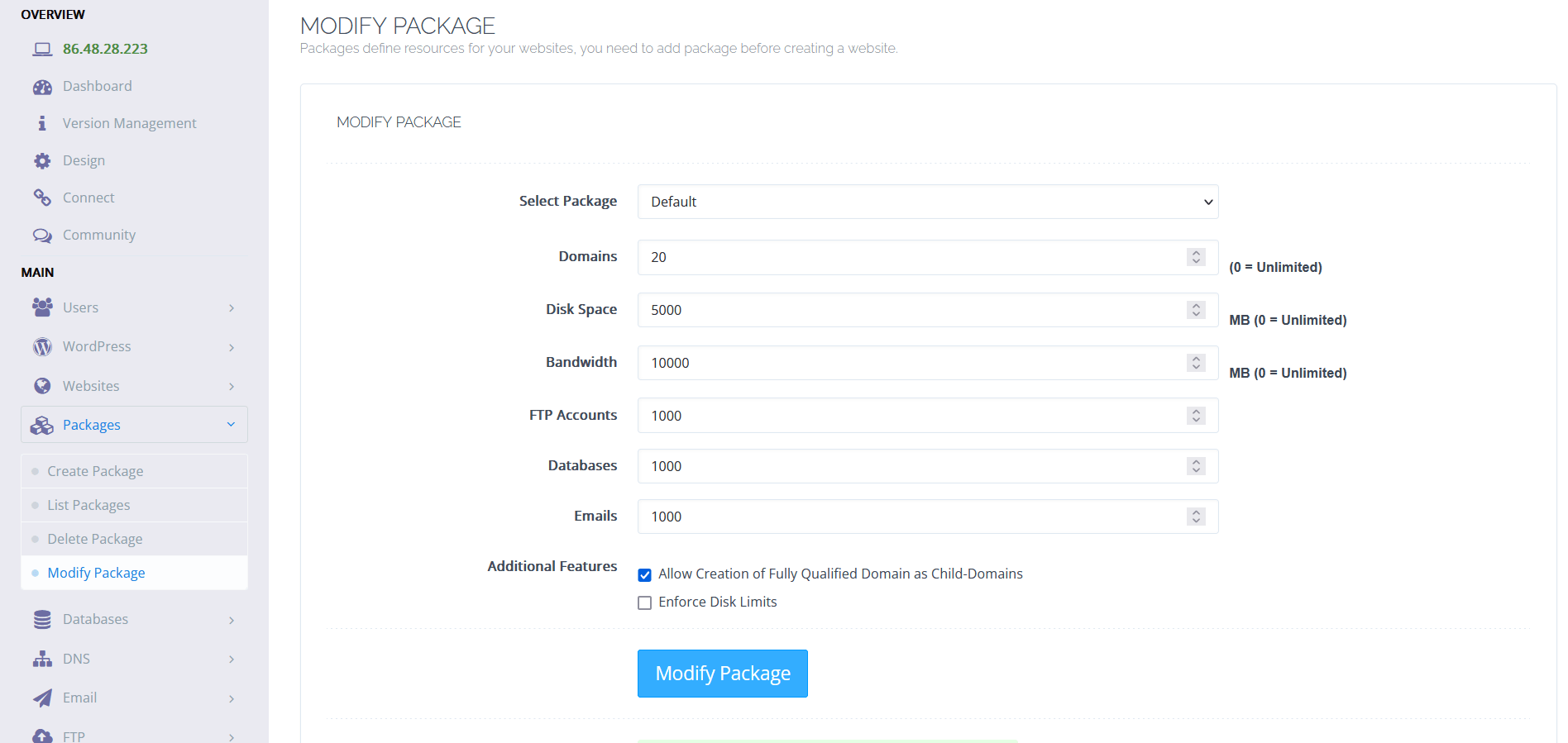
Step 3. Check Your Website Resource Usage
Now, let’s check back our website resource usage. Just go to Websites > List Websites > Manage
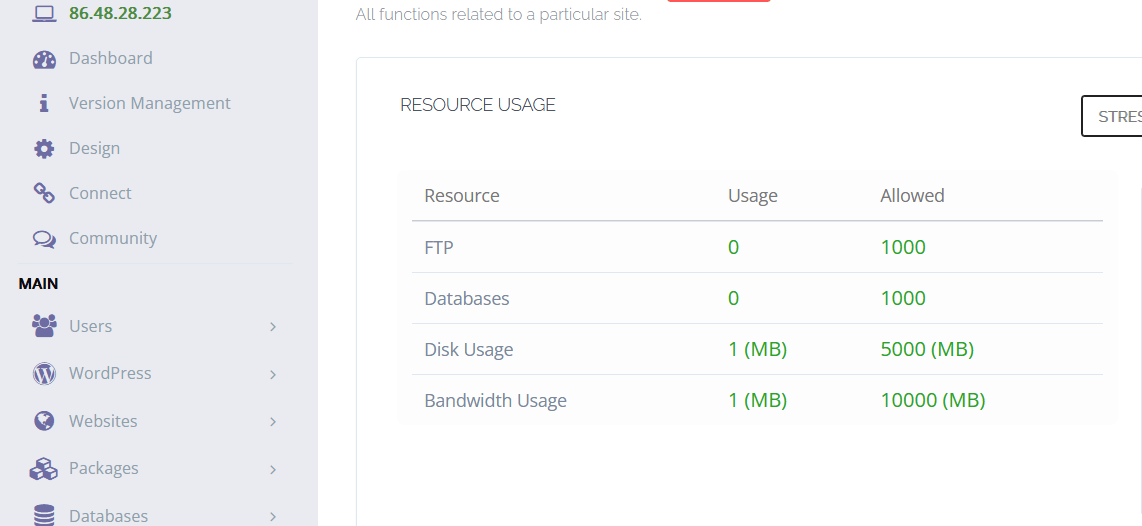
We have successfully increased disk and bandwidth usage!
Conclusion
There’s not much of a conclusion here. Modifying a packing on CyberPanel is easy. You can do it in few steps. If you have encountered a problem, just comment it below.