
 Okay, so I want to talk about 1 dollar VPS hosting and why it might be useful for some people who are starting or with tight budget. VPS stands for Virtual Private Server, which is a type of web hosting. It gives you more control and power than regular shared hosting at a low price.
1 dollar VPS hosting is a budget-friendly way to get a private server with important features. It can be a good option if you want to start small and still have flexibility for your website or project. I will explain what this means and how it works.
8 Legit 1 Dollar VPS Hosting You Can Affordably Get
While most providers advertise $1 per month, payment is required yearly. Given the low cost, these promotions can run out of stock fast. Contact me in case some of these are unavailable, and I’ll try to reach out to the provider.
| VPS | RAM | vCPU | Storage | Pricing |
| RackNerd | 1GB | 1 | 25GB SSD | $10.60/YEAR |
| DartNode | 1GB | 1 | 10GB SSD | $21.6/YEAR |
| RareCloud | 1GB | 1 | 25GB NVMe SSD | $12.60/YEAR |
| ColoCrossing | 1GB | 1 | 20GB SSD | $11.99/YEAR |
| Colonel Server | 2GB | 2 | 60GB SSD | $1.98/Month |
| Ava Hosting | 512MB | 1 | 20GB SSD | $12.7/YEAR |
| MassiveGrid | 1GB | 1 | 32GB SSD | $9.99/YEAR |
| Dasabo | 1GB | 1 | 10GB SSD | $11.56/YEAR* |
You can also check my list of legit $2 VPS hosting and $5 VPS hosting. I’ll continue to check these plans with promos from time to time, so bookmark this page to stay updated.
*Flash Sales – FS1-2025 Plan.
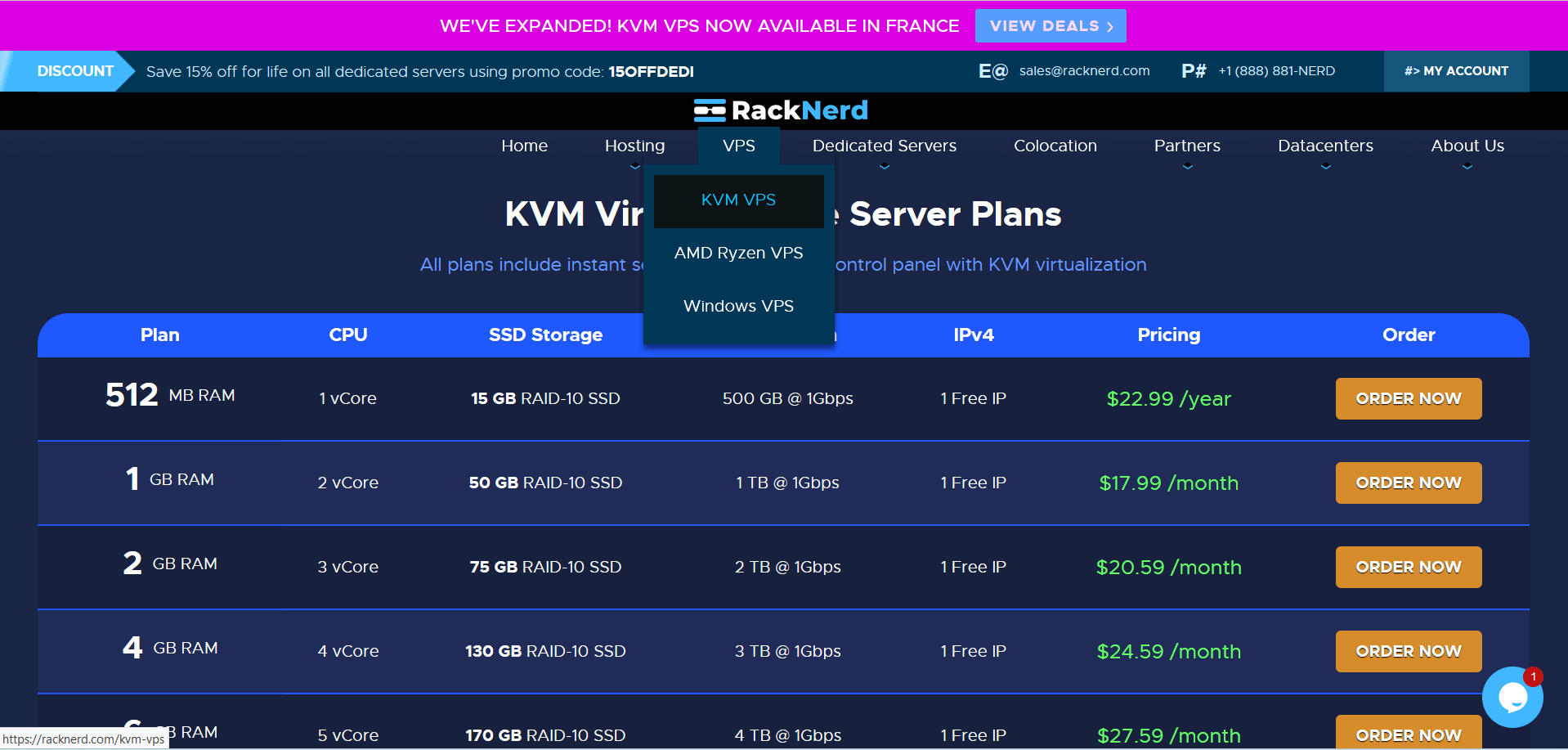
1. RackNerd
$1 VPS Features
- 1 vCPU
- 1 GB RAM
- 25GB SSD Drive
- 2 TB Bandwidth
- 1 IPv4
I found RackNerd to be a solid option for $1 VPS hosting. Their basic plan starts at $10.96 per year ($0.913/mo) and includes 1 GB of RAM, 1 vCPU, 25 GB of SSD storage, and 2 TB of bandwidth. This is enough for small projects or testing environments. Take note that this is a running promo until supplies last.
RackNerd offers multiple data centers. They have locations in the US, Europe, and Asia. This allows you to select a server near your users for improved speed.
They accept several payment methods. You can pay with credit cards, PayPal, and even cryptocurrencies like Bitcoin. This flexibility makes it easy for me to manage payments.
Overall, RackNerd’s $1 VPS plan is clear and straightforward. The specs and features match the price, without extra hidden costs.
How to setup RackNerd VPS? Check out this tutorial. Or, you can watch it on my YouTube channel.
2. DartNode

$1 VPS Features
- 1 vCPU
- 1 GB RAM
- 10GB SSD Drive
- Unlimited Bandwidth
- 1 IPv4/IPv6
When it comes to budget-friendly VPS hosting, DartNode has carved a spot for itself by offering reliable virtual servers at an incredibly low cost. One of their most talked-about deals is the $24/year VPS with 10% cashback, which works out to just $21.60 per year—or roughly $1.80 per month. For those looking to host websites, applications, or small projects without breaking the bank, this is a hard offer to ignore.
Optional add-ons like DDoS protection, daily off-site backups, and block storage are available for users who want extra layers of security and redundancy.
The $24/Year Plan with Cashback
If you choose to pay annually, DartNode rewards you with a 10% cashback in account credit.
-
Regular price: $2/month → $24/year
-
10% cashback: $2.40 credit back
-
Final effective cost: $21.60/year (~$1.80/month)
This makes DartNode’s VPS-1 one of the cheapest entry-level VPS options on the market—without compromising on features.
Watch how to setup DartNode VPS quickly.
3. RareCloud
$1 VPS Features
- 1 vCPU
- 1 GB RAM
- 25GB NVMe SSD Drive
- 3 TB Bandwidth
- 1 IPv4/IPv6
RareCloud offers a minimalist approach with 1 CPU core, 1 GB RAM, and 25 GB NVMe SSD storage. While more modest in specifications, this configuration suits basic testing and development needs perfectly. Their cheapest VPS costs €10.90/Year ($12.60/Year).
RareCloud has data centers in the United States and Europe. This gives some choices depending on where you want your server to be located. I like having options for better speed or location compliance.
They accept multiple payment methods like credit cards, PayPal, and Bitcoin. This flexibility makes it easy for you to pay in a way that works for you. I didn’t see any forced long-term contracts, which is good.
The control panel is simple and user-friendly. RareCloud includes features like root access and easy server management. These basics are useful for someone like me who wants direct control without extra cost.
Watch how I deployed my RareCloud VPS here.
4. ColoCrossing
$1 VPS Features
- 1 vCPU
- 1 GB RAM
- 20GB SSD Drive
- 20 TB Bandwidth
- 1 IPv4
ColoCrossing delivers reliable performance with 1 CPU core, 1 GB RAM, and 25 GB SSD storage. It costs $11.99/yr.
Their data centers are located in the United States, mainly in New York and Chicago. This gives good connectivity for users based in the US and nearby regions.
ColoCrossing accepts various payment methods like credit cards, PayPal, and even Bitcoin. This flexibility makes it easier for me to pay without hassle.
The setup is quick, and the control panel is user-friendly. This helps you manage your VPS without needing much technical skill.
I think ColoCrossing balances cost and performance well for low-budget VPS hosting. Their network uptime and customer support are also dependable for this price range.
5. Colonel Server

$1 VPS Features
- 2 vCPU
- 2 GB RAM
- 60GB SSD Drive
- Unlimited Bandwidth
- 1 IPv4
Colonel Server’s entry-level offering includes 2 GB RAM, 2 vCPU cores, and 60 GB SSD storage. This setup is enough for small projects or testing. Use HELLOLET for 70% off your monthly cost to get a $1.98/month deal for life!
They have data centers in the Netherlands, Germany, France, the United States, Switzerland, the United Kingdom, Spain, Belgium, and Finland, which help with fast connection speeds. This can be important depending on where your users are located.
Colonel Server accepts several payment methods. You can pay with credit cards, PayPal, and cryptocurrency.
Colonel Server’s control panel is simple to use. They have the same control panel used by RackNerd.
6. Ava Hosting
$1 VPS Features
- 1 vCPU
- 512 MB RAM
- 20GB NVMe SSD Drive
- Unlimited Bandwidth
- 1 IPv4
Ava Hosting rounds out our list with 512 MB RAM, 20 GB SSD storage, and 1 CPU core. It costs for only €11/Year. Take note, they close their port 25 for this plan. Be sure to check out their Nano VPS for the €11/Year price.
They use data centers located in Europe, particularly in Moldova. This gives options depending on where you want your server to be. The connection speed is decent for the price.
Payment methods include PayPal, credit cards, and cryptocurrencies. This flexibility helps users from different regions pay easily.
The control panel is simple to use, and they provide basic support. For a $1 VPS, Ava Hosting offers a straightforward service without complex features.
7. MassiveGrid
$1 VPS Features
-
1 vCore Intel Xeon
-
1 GB RAM
-
32 GB High-Availability SSD
-
20 TB Monthly Traffic
-
1 IPv4 Address Included
-
1 Gbps Port Speed
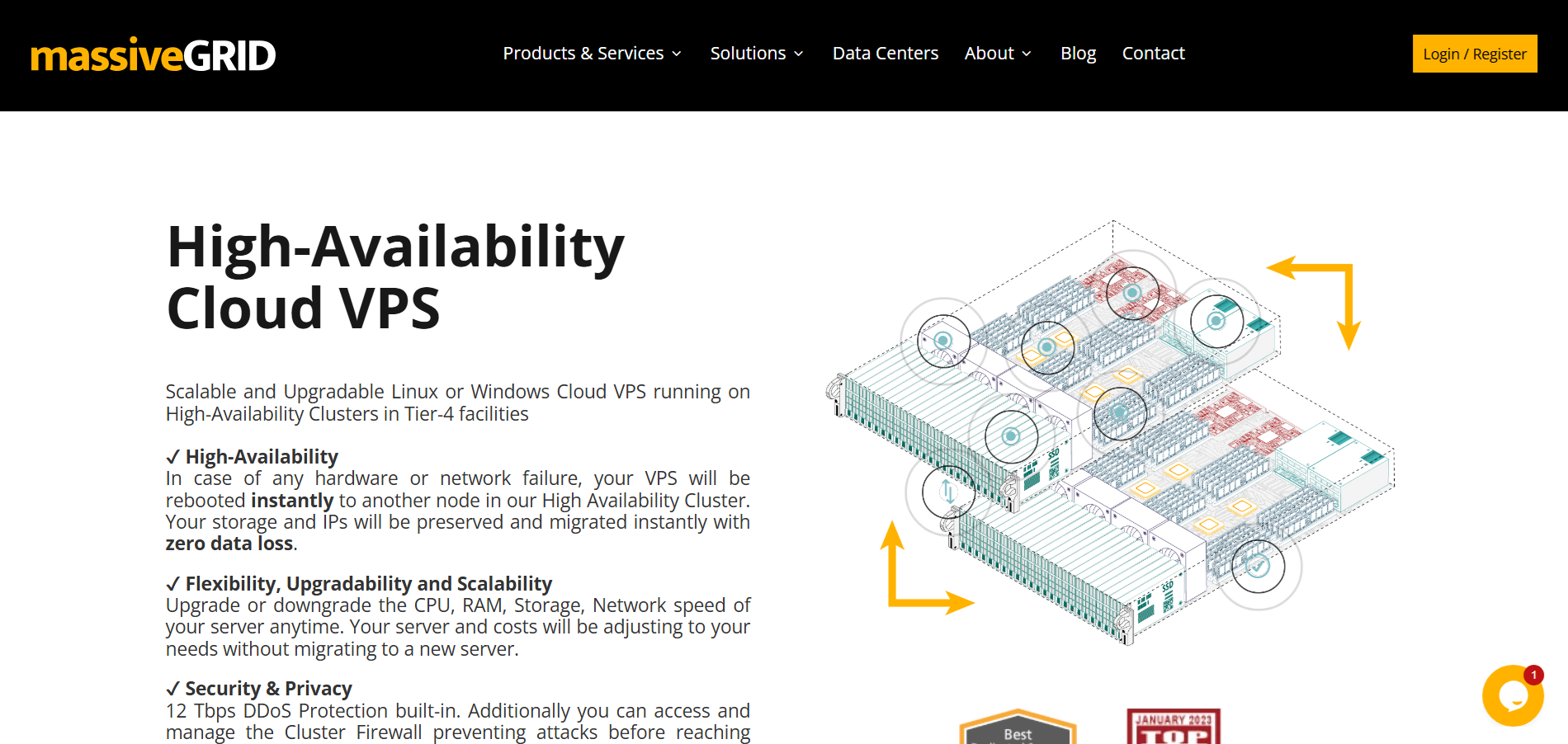
MassiveGRID has rolled out one of the most affordable VPS deals on the market — starting at just $9.99/year, which works out to around $0.83/month.
The VPS can be deployed in New York, London, or Frankfurt, giving users flexibility in choosing a location closer to their audience.
What makes the offer even more appealing are the long-term discounts:
- 2 Years at $18.65 (~$0.78/month)
- 3 Years at $23.98 (~$0.49/month, plus the 4th year free)
For under $1 per month, this VPS is an excellent option for testing, lightweight projects, personal websites, VPNs, or learning server management without breaking the bank. While it’s not designed for heavy workloads, the specs and bandwidth allocation are more than generous at this price point.
If you’re looking for a budget-friendly VPS with reliable infrastructure and global locations, MassiveGRID’s “$1 VPS” deal is hard to ignore.
MassiveGRID also provides convenient payment options — you can pay using Credit/Debit Card, PayPal, or even Bitcoin, making it accessible for both traditional and crypto-friendly users.
8. Dasabo
$1 VPS Features
- 1 vCPU
- 1 GB RAM
- 10GB NVMe SSD Drive
- 5 TB Bandwidth
- 1 IPv4/IPv6
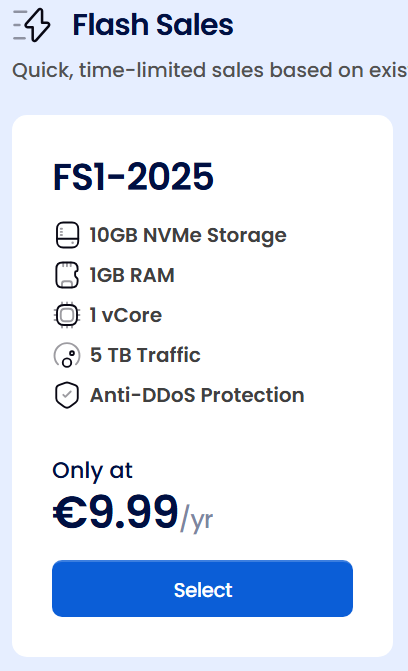
Dasabo completes our selection with their budget-friendly VPS solution featuring 1 GB RAM, 1 CPU core, and 10 GB SSD storage at €9.99/Year ($11.56/year). Their $1 plan is limited by the way so grab it on their Virtual Private Servers.
Their modern infrastructure focuses on delivering reliable performance despite the low price point, utilizing cloud-based architecture for enhanced scalability and reliability.
The provider stands out with their streamlined onboarding process that gets servers deployed within minutes of payment confirmation. Their user-centric dashboard design incorporates real-time resource monitoring, bandwidth usage tracking, and simplified server management tools that make administration accessible to beginners while retaining advanced options for experienced users.
Dasabo’s infrastructure leverages a German data center with automatic failover capabilities that minimize downtime. Their network architecture includes DDoS protection as a standard feature, providing additional security for hosted applications without extra charges.
Payment methods include traditional options like credit cards and Alipay, plus modern alternatives including various cryptocurrencies and digital payment platforms. Dasabo offers flexible billing cycles from monthly to annual terms, with promotional pricing often available for new customers
What to Expect From $1 VPS Hosting
When you choose a $1 VPS hosting plan, you get basic resources and features with some trade-offs. The setup is simple, but you should know what limits and performance details come with these low-cost options.
Typical Features and Limitations
Most $1 VPS plans come with a small amount of RAM, usually between 512MB and 1GB. Storage space tends to be limited, often around 10 to 25 GB using SSD drives. You may get a single CPU core or a fraction of one.
Bandwidth is often capped, somewhere between 500GB and 1TB per month. Control panels and extra software can be very basic or not included. Customer support may be limited in availability or response speed.
Backup services might not be part of the plan, so I recommend handling your own backups. Overall, these plans work best for simple projects like testing or small websites. Avoid using them for high-traffic or resource-heavy applications.
Performance Considerations
Performance on a $1 VPS can be inconsistent. Since these are shared servers, other users’ activities may slow down your VPS at times. CPU time is often restricted, meaning your speed depends on how crowded the server is.
RAM limits restrict what software or apps can run smoothly. Heavy databases or websites with many visitors may face slowdowns or crashes. Disk I/O can also be slow if the VPS uses HDD instead of SSD.
I usually expect this hosting to suit lightweight tasks like learning Linux, running small apps, or simple websites. For anything beyond that, performance will likely degrade quickly. If speed and uptime are critical, a higher-priced VPS is better.
Who Should Choose 1 Dollar VPS Hosting
I see $1 VPS hosting as an option mainly for those who need basic server control without a big budget. It fits specific needs but also comes with clear limits that can affect its usefulness.
Best Use Cases
I think $1 VPS hosting works well for small projects where high performance isn’t crucial. It’s good for learning server management or testing apps before going live.
It’s also useful for simple websites, small blogs, or running low-traffic services. You get root access and some flexibility while spending very little.
For developers, it offers a way to experiment with new setups or scripts at a low cost. It also suits people who want to backup or mirror data without complex server needs.
Potential Drawbacks
I know that $1 VPS plans usually come with limited CPU power, RAM, and bandwidth. This means they might struggle with heavier tasks or more visitors.
Support can be basic or slow since providers charge so little. That could be a problem if you need quick help with server issues.
Also, reliability may be lower compared to higher-priced VPS services. Downtime and performance drops happen more often, so it’s not ideal for critical or business sites.
In short, the low cost means trade-offs in speed, support, and dependability.
Final Thoughts
I find that 1 dollar VPS hosting offers a very affordable way to start with virtual servers. It’s a good choice if you want to test projects without spending much money.
However, low price often means limited resources. You should expect basic CPU power, less storage, and less bandwidth. This makes it less suitable for high-traffic or resource-heavy sites.
I recommend checking the provider’s reputation and support options. Good customer service can help you fix issues quickly, which is important even with a cheap plan.
Keep in mind that performance and stability might not match higher-priced VPS plans. If your site grows, you might need to upgrade later.
Here’s a quick list of pros and cons I think about:
| Pros | Cons |
|---|---|
| Very low cost | Limited server power |
| Easy to try and test projects | Often limited support options |
| Simple setup | Not for heavy traffic sites |
If you’re okay with these trade-offs, 1 dollar VPS hosting can be a useful option. It lets you manage a server without a big budget.