
 Learning how to host multiple WordPress sites on one server can significantly reduce your hosting costs and simplify your website management process.
In this guide, we’ll explore how to achieve this using UltaHost VPS and Virtualmin, a powerful combination that provides flexibility and control over your hosting environment.
Let’s start and follow my process!
Prerequisites
- An UltaHost VPS account properly configured
- Virtualmin installed on your server
- Domain names for each website you plan to host
- Basic understanding of DNS management
How to Host Multiple WordPress Sites on One Server
Step 1: Set Up Your UltaHost VPS

First, you need to set up your UltaHost VPS. If you haven’t already, follow my guide on setting up an UltaHost VPS.
Step 2: Install Virtualmin

Virtualmin is a powerful control panel that will help you manage multiple websites. To install it:
- Connect to your VPS via SSH
- Run the following commands:
sudo sh -c "$(curl -fsSL https://software.virtualmin.com/gpl/scripts/virtualmin-install.sh)" -- --bundle LAMP
- Follow the on-screen instructions to complete the installation
You can also watch my step-by-step guide on installing Virtualmin on YouTube.
Step 3: Create Virtual Servers for Each WordPress Site
Now that Virtualmin is installed, you can create virtual servers for each WordPress site you want to host:
Log into Virtualmin (https://your-server-ip:10000)

Go to Create Virtual Server.
Enter the domain name and other details for your first WordPress site.

Repeat this process for each site you want to host.
Step 4: Setup A Records for the Domain
To ensure your domains point to the correct WordPress installations:
Log into your domain registrar’s control panel.
In this tutorial, I’m using Cloudflare.
Update the nameservers for each domain to point to your VPS.
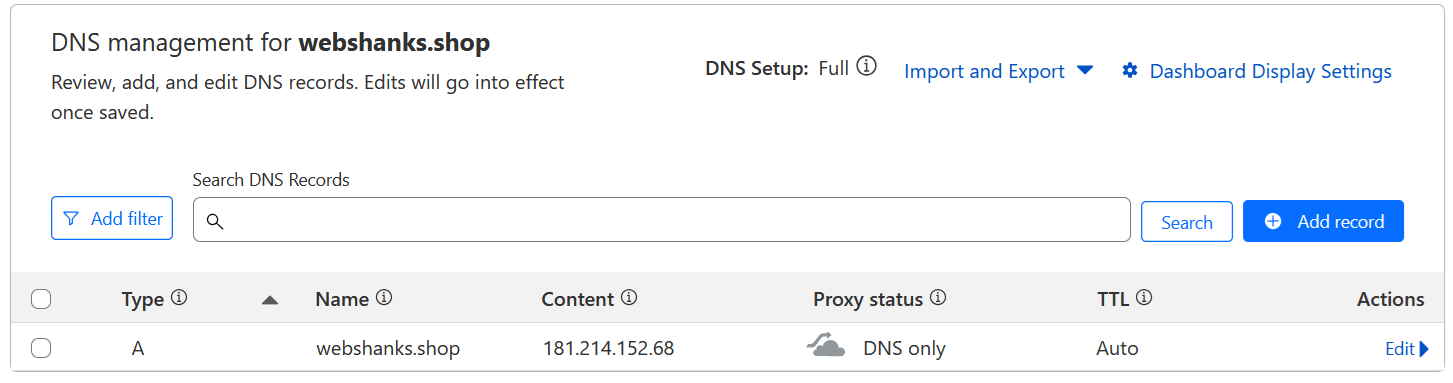
In Virtualmin, ensure each domain is correctly associated with its virtual server.
Step 5: Install WordPress on Each Virtual Server
With your virtual servers set up, it’s time to install WordPress on each one:
In Virtualmin, select the virtual server you want to work with.
Go to Manage Web Apps.
Choose WordPress from the list of available scripts and click the green check icon to start the installation.
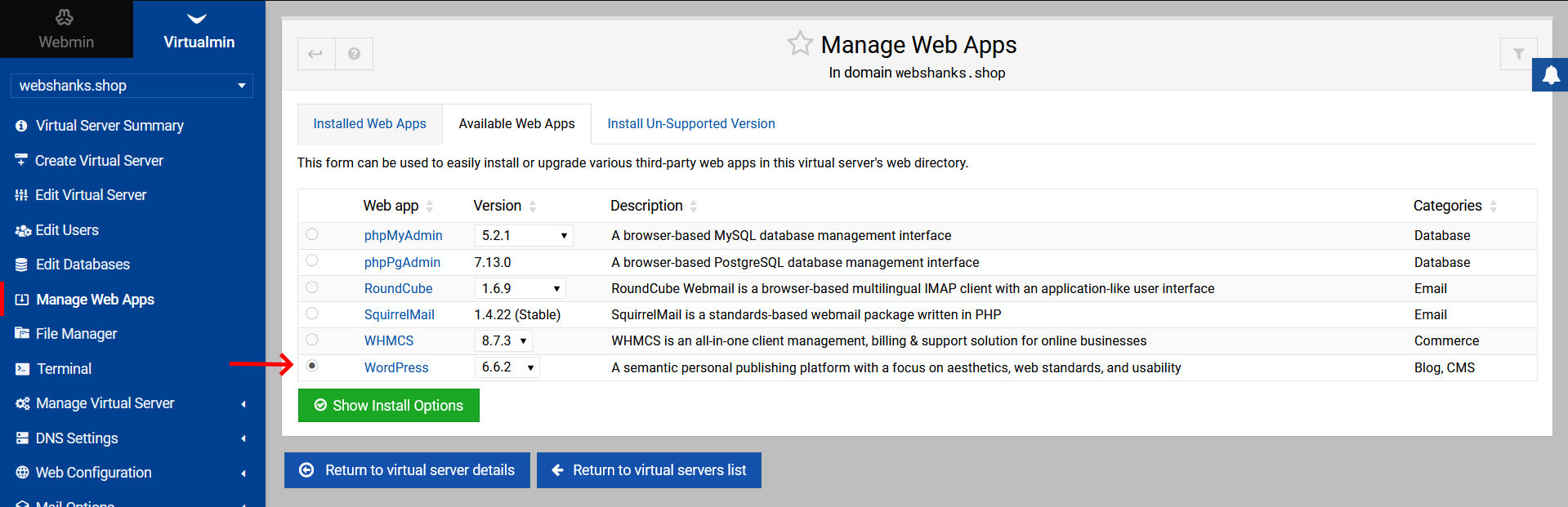
Follow the installation wizard to complete the WordPress setup.
Save your Admin login credentials.
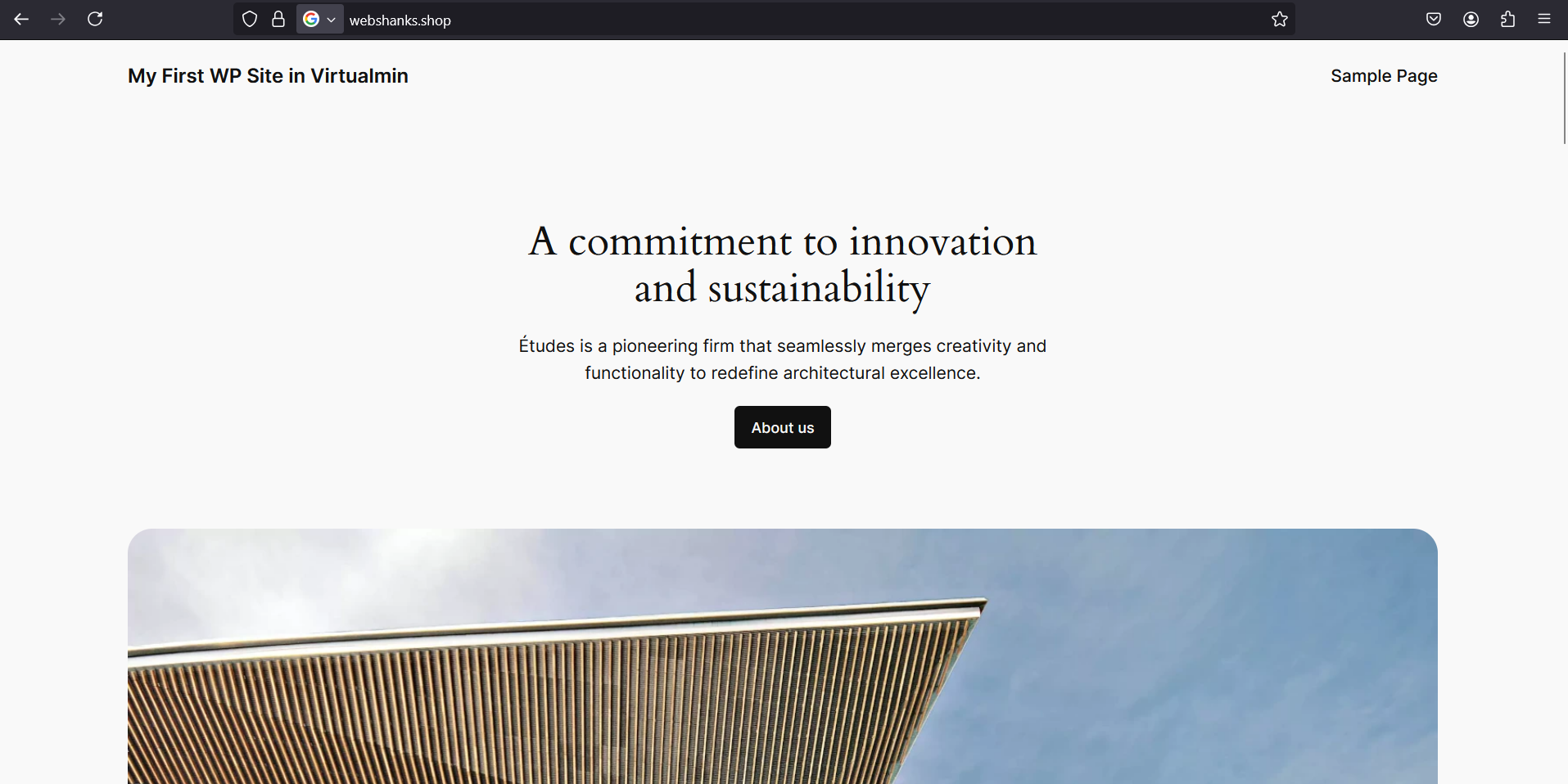
Repeat for each virtual server.
I’ll install another WordPress on my second domain using the same process.

Now I have two WordPress sites running on my single server with Virtualmin.
If you want to install more, follow the steps I’ve laid.
Step 6: Optimize Your WordPress Websites
Now that you know how to host multiple WordPress sites on one server, it’s important to optimize your setup:
- Set up a Content Delivery Network (CDN) for each site
- Regularly update WordPress, themes, and plugins for all sites
- Monitor server resources and upgrade your VPS if needed
- Additionally, you can setup email on Virtualmin for your communication
Troubleshooting
Even when you know how to host multiple WordPress sites on one server, issues can arise. Here are some common problems and their solutions:
- Site Not Loading: Check your virtual server configuration and ensure the domain is correctly pointed to your VPS.
- Slow Performance: Monitor your server resources. You might need to upgrade your VPS or optimize your WordPress installations.
- Database Connection Errors: Verify the database credentials in your WordPress configuration files.
Frequently Asked Questions
How many WordPress sites can I host on one server?
The number of sites you can host depends on your server’s resources and how resource-intensive each site is. Start with a few and monitor your server’s performance before adding more.
Is it safe to host multiple WordPress sites on one server?
Yes, when done correctly. Virtualmin helps isolate each site, but it’s important to keep all sites updated and implement strong security measures.
Can I use different PHP versions for different WordPress sites?
Yes, Virtualmin allows you to set different PHP versions for each virtual server.
How do I backup multiple WordPress sites on one server?
Virtualmin offers built-in backup features. You can schedule regular backups for all your virtual servers.
Conclusion
Learning how to host multiple WordPress sites on one server can be a game-changer for managing multiple web properties efficiently.
With UltaHost VPS and Virtualmin, you have a powerful and flexible solution at your fingertips. Remember to regularly monitor your server’s performance, keep your sites updated, and implement strong security measures to ensure smooth operation of all your WordPress sites.
If you have any questions, be sure to comment them down.