
 Tired of paying steep prices for email hosting or losing sleep over your data privacy?
With free, open source email servers like iRedMail, Mailcow, and Modoboa, you take back full control of your email, domains, and privacy without paying monthly fees.
In this guide, we’ll explore different open source email servers. Find out which one you’ll setup today!
Key Takeaways
- Total Control: Self-hosting with iRedMail, Mailcow, or Modoboa gives you full control of your email data.
- Built-in Security: Includes AES-256 encryption, TLS in transit, DKIM, DMARC, and ClamAV virus scanning.
- Unlimited Accounts: Create as many users and mail domains as you need—no extra fees.
- Platform Flexibility: Most support Linux, FreeBSD, Docker, and cloud providers.
- Mobile/Webmail Access: Roundcube and SOGo webmail clients let you access inboxes anywhere.
Comparison: Open Source Email Servers
| Name | Type | Setup Method | Docker Support | OS Compatibility |
|---|---|---|---|---|
| iRedMail | Full-Stack Server | Script-based | ❌ No | Linux, FreeBSD, OpenBSD |
| Mailcow | Full-Stack Server | Docker-based | ✅ Yes | Linux (Docker-hosted) |
| Modoboa | Full-Stack Server | Script-based | ❌ No | Linux (Ubuntu, Debian) |
| Mailu | Full-Stack Server | Docker-based | ✅ Yes | Linux (Docker-hosted) |
| Mail-in-a-Box | Full-Stack Server | Script-based | ❌ No | Ubuntu 22.04 LTS |
| Docker Mailserver | Full-Stack Server | Docker-based | ✅ Yes | Linux (Docker-hosted) |
| Stalwart Mail | Full-Stack Server | Binary-based | ❌ No | Linux, cross-platform |
| Maddy | Full-Stack Server | Binary-based | ❌ No | Linux |
| Haraka | Full-Stack Server | Node.js-based | ✅ Yes | Linux |
| Postal | Full-Stack Server | Docker/Manual | ✅ Yes | Linux (Ubuntu preferred) |
| aaPanel | Web Hosting Control Panel | Script-based | ✅ Optional | CentOS, Ubuntu, Debian |
| HestiaCP | Web Hosting Control Panel | Script-based | ❌ No | Debian, Ubuntu |
| CyberPanel | Web Hosting Control Panel | Script-based | ❌ No | CentOS, Ubuntu |
| ISPConfig | Web Hosting Control Panel | Script-based | ❌ No | Debian, Ubuntu, CentOS |
| YunoHost | Web Hosting Control Panel | Script-based | ❌ No | Debian 11+ |
| Virtualmin | Web Hosting Control Panel | Script-based | ❌ No | Debian, Ubuntu, CentOS |
Best 16 Open Source Email Servers
I grouped the open source email servers into two types: full-stack solutions and web hosting panels that include a full email server stack.
Full-stack open source email servers pack many features in one package. These solutions allow you to manage emails easily, customize settings, and control your data without relying on big companies like Google or Microsoft.
1. iRedMail: The System Administrator’s Choice

iRedMail has earned its reputation as the go-to solution for email marketers and system administrators who demand reliability without complexity. This comprehensive mail server solution supports all major operating systems including Red Hat, CentOS, Debian, Ubuntu, FreeBSD, and OpenBSD.
Why iRedMail Stands Out:
- Lightning-Fast Setup: Get your mail server running in minutes, not hours
- Unlimited Scalability: Handle thousands of email accounts without performance degradation
- Cross-Platform Compatibility: Works seamlessly across different operating systems
- Professional Support: Enterprise-grade assistance when you need it most
The beauty of iRedMail lies in its intelligent combination of proven open-source components, creating a robust ecosystem that handles everything from basic email delivery to advanced spam filtering.
Users consistently praise its reliability and performance, making it a cornerstone solution for serious email operations.
Watch my tutorial:
2. Mailcow: The Docker Powerhouse
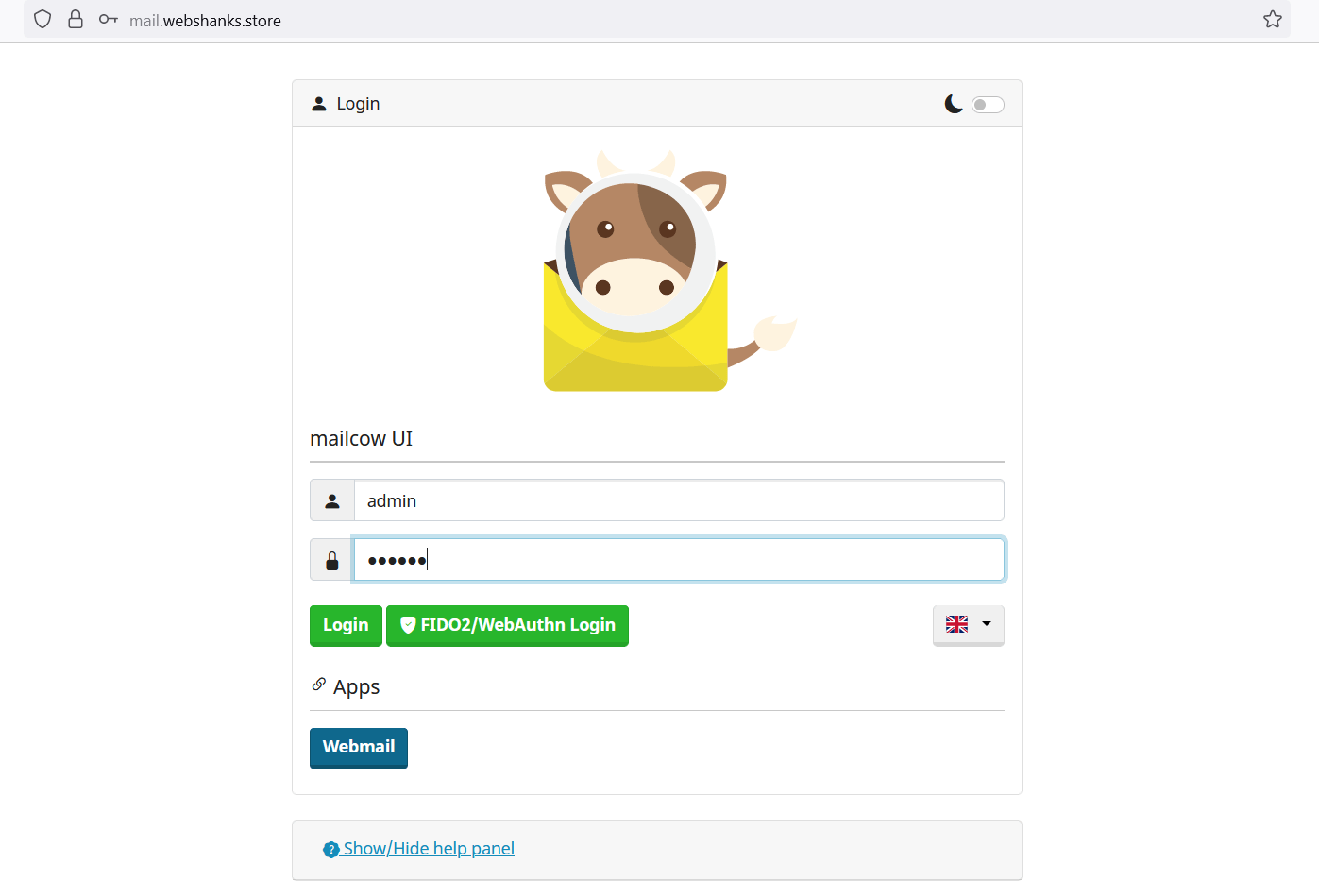
For organizations embracing containerization, Mailcow represents the pinnacle of modern email server architecture. Built on Docker, it seamlessly integrates Postfix for email sending, Dovecot for secure mail delivery, and Rspamd for intelligent spam filtering.
Mailcow’s Competitive Advantages:
- Automatic SSL Management: Let’s Encrypt certificates are generated and renewed automatically
- Bulletproof Security: Advanced spam filtering and security protocols built-in
- Effortless Management: Intuitive web interface for all administrative tasks
- Scalable Architecture: Docker-based design ensures easy scaling and maintenance
The platform’s automatic backup system protects your valuable email data, while demo instances allow you to test-drive the solution before committing. This makes Mailcow particularly attractive for businesses transitioning from traditional email providers.
Pro Guide: Learn how to add additional domains and emails to Mailcow to maximize your server’s potential, or follow my comprehensive guide to create your own mail server using Mailcow.
Watch my tutorial:
3. Modoboa: The Modern Developer’s Dream

Moving on from Mailcow, let’s look at Modoboa. This email server offers a powerful solution for system administrators and self-hosting enthusiasts.
Modoboa brings contemporary web development practices to email server management. Built with Python 3, Django, and Vue.js, it offers a sleek, responsive interface that makes email administration genuinely enjoyable.
What Makes Modoboa Special:
- Modern Technology Stack: Cutting-edge frameworks ensure long-term viability
- Unlimited Account Management: Scale without worrying about artificial limitations
- Active Community Support: Robust community presence on Discord and GitHub
- Comprehensive Documentation: Extensive guides and tutorials for all skill levels
The platform excels in environments where SMTP relaying and sophisticated mailing list management are essential. Its Python foundation makes it particularly appealing to development teams already working within the Python ecosystem.
For a detailed walkthrough, check out my Modoboa mail server setup guide.
Watch my tutorial:
4. Mailu: Simplicity Meets Security

Mailu takes a refreshingly straightforward approach to email server deployment. By focusing on core email functionality without unnecessary groupware features, it delivers exceptional performance at a fraction of the resource cost.
Mailu’s Core Strengths:
- Docker-Native Design: Seamless container deployment and management
- Protocol Mastery: Full support for IMAP, IMAP+, and SMTP standards
- Cost-Effective Scaling: Significant savings for organizations with large storage needs
- Enhanced Security: Built-in SSL/TLS encryption and advanced configuration options
The platform’s minimalist approach doesn’t compromise on functionality – it simply eliminates bloat that can slow down your email operations. This makes Mailu particularly suitable for high-volume email environments where performance is critical.
Learn more about deploying Mailu in my guide on setting up a mail server on Debian using Mailu.
Watch my tutorial:
5. Mail in a Box: The One-Click Solution
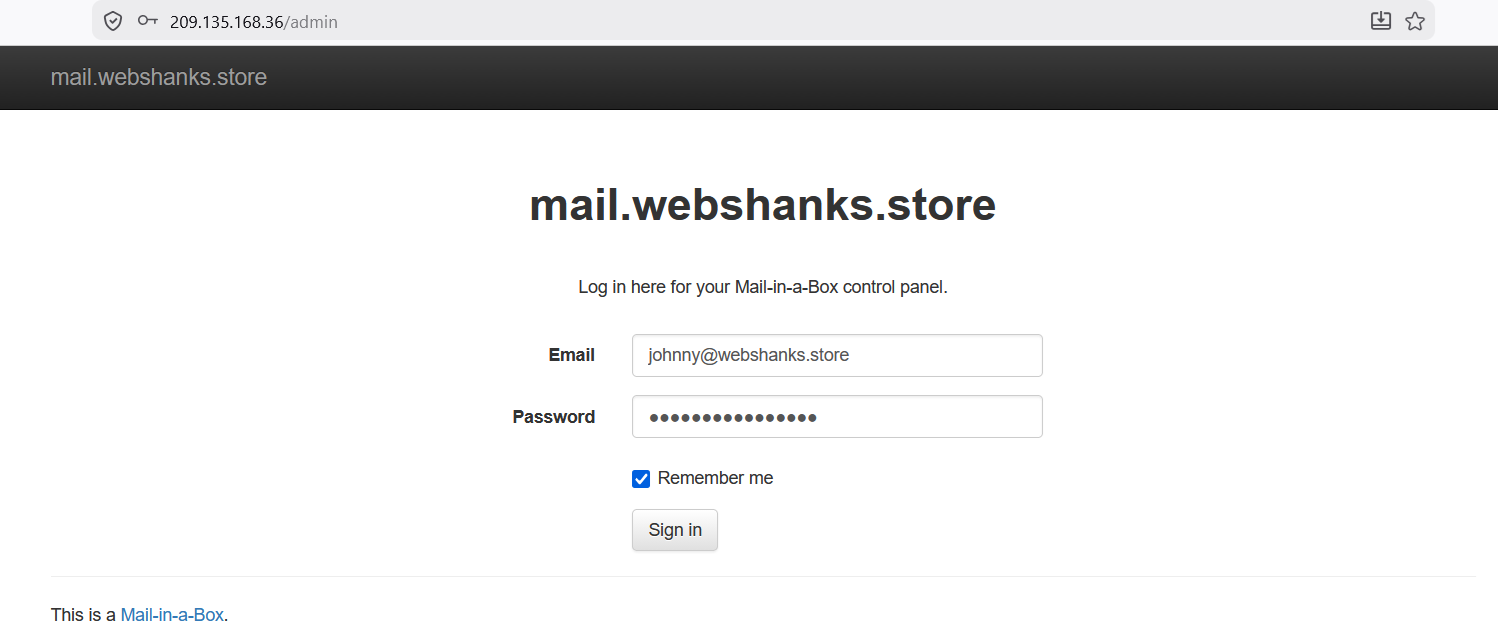
Mail in a Box revolutionizes email server deployment by making it accessible to users without extensive system administration experience. This solution bundles everything needed for a complete email system into a single, easily deployable package.
Mail in a Box Advantages:
- Effortless Installation: Deploy a complete email system in under an hour
- Custom Domain Support: Host unlimited domains with professional email addresses
- Integrated Security: OpenSSL certificates and TLS encryption configured automatically
- Universal Access: Web-based interface works on any device or browser
The platform includes advanced features like DANE protocol support and MX record automation, ensuring your email infrastructure meets modern security standards. Its comprehensive approach makes it ideal for small businesses and individuals who want enterprise-level email without the complexity.
Follow my step-by-step Ubuntu mail server setup using Mail in a Box for a complete deployment guide.
Watch my tutorial:
6. Docker Mailserver: The Minimalist’s Choice
Docker Mailserver strips away unnecessary complexity while maintaining full functionality. This solution provides SMTP, IMAP, and anti-spam capabilities through simple file-based configuration rather than complex database management.
Docker Mailserver Benefits:
- Simplified Management: Configure everything through straightforward text files
- Beginner-Friendly: No advanced expertise required for effective deployment
- Flexible Customization: Custom scripts enable unique configurations
- Universal Compatibility: Works seamlessly across different platforms
The included setup.sh script handles most configuration tasks automatically, while still allowing advanced users to customize every aspect of their email environment. This balance makes Docker Mailserver particularly appealing to organizations seeking simplicity without sacrificing control.
My comprehensive Docker Mailserver setup guide provides detailed installation instructions.
Watch my tutorial:
7. Stalwart: The Next-Generation Solution

Stalwart represents the cutting edge of email server technology, built from the ground up in Rust for maximum performance and security. This modern solution supports an impressive array of protocols including IMAP, JMAP, SMTP, CalDAV, CardDAV, and WebDAV.
Stalwart’s Innovation:
- Rust-Powered Performance: Memory-safe, ultra-fast email processing
- Comprehensive Security: Built-in DMARC, DKIM, SPF, and advanced spam filtering
- Massive Scalability: Handle thousands of nodes without performance degradation
- Active Development: Growing community with 9,000+ GitHub stars
The platform’s focus on security and privacy, combined with its ability to scale effectively, makes it particularly suitable for organizations planning for significant growth. Its modern architecture ensures compatibility with emerging email standards and protocols.
Explore my detailed Stalwart email server setup guide for implementation details.
Watch my tutorial:
8. Maddy Email Server: The Efficient Alternative
Maddy Email Server leverages Go’s efficiency to create a lightweight yet powerful email solution. As both an LMTP server and client, it streamlines email operations while maintaining robust security and performance.
Maddy’s Unique Position:
- Go-Powered Efficiency: Excellent performance with minimal resource usage
- Dual Functionality: LMTP server and client capabilities in one package
- Security-First Design: HTTPS support and advanced security protocols
- Cloud-Optimized: Perfect for modern cloud infrastructure deployments
The platform’s lightweight design makes it particularly suitable for organizations operating in resource-constrained environments or those seeking maximum efficiency from their email infrastructure.
9. Haraka: The High-Performance Specialist

Moving on from Maddy Email Server, let’s talk about Haraka.
Built on Node.js, it excels in environments where email volume and speed are critical factors.
Haraka’s Performance Edge:
- Node.js Foundation: Exceptional performance for high-traffic scenarios
- Plugin Architecture: Extensive customization through flexible plugins
- Scalable Design: Built to handle massive email volumes efficiently
- Developer-Friendly: Easy installation and configuration for technical teams
Email marketers particularly appreciate Haraka’s speed and reliability, while system administrators value its robust load balancing and email validation capabilities. Its plugin system allows for extensive customization without compromising core performance.
10. Postal Mail Server: The Enterprise Alternative

Postal Mail Server positions itself as a powerful alternative to commercial services like SendGrid and Mailgun. With strong community support evidenced by 15,700+ GitHub stars, it’s proven its worth in production environments.
Postal’s Enterprise Features:
- Commercial-Grade Reliability: Handles both incoming and outgoing email efficiently
- Cost-Effective Scaling: Significant savings compared to commercial alternatives
- Active Development: Regular updates and feature enhancements
- Self-Hosting Freedom: Complete control over your email infrastructure
The platform’s straightforward setup process and strong community support make it accessible to organizations of all sizes, while its robust feature set ensures it can handle enterprise-level email operations.
11. aaPanel: The User-Friendly Powerhouse
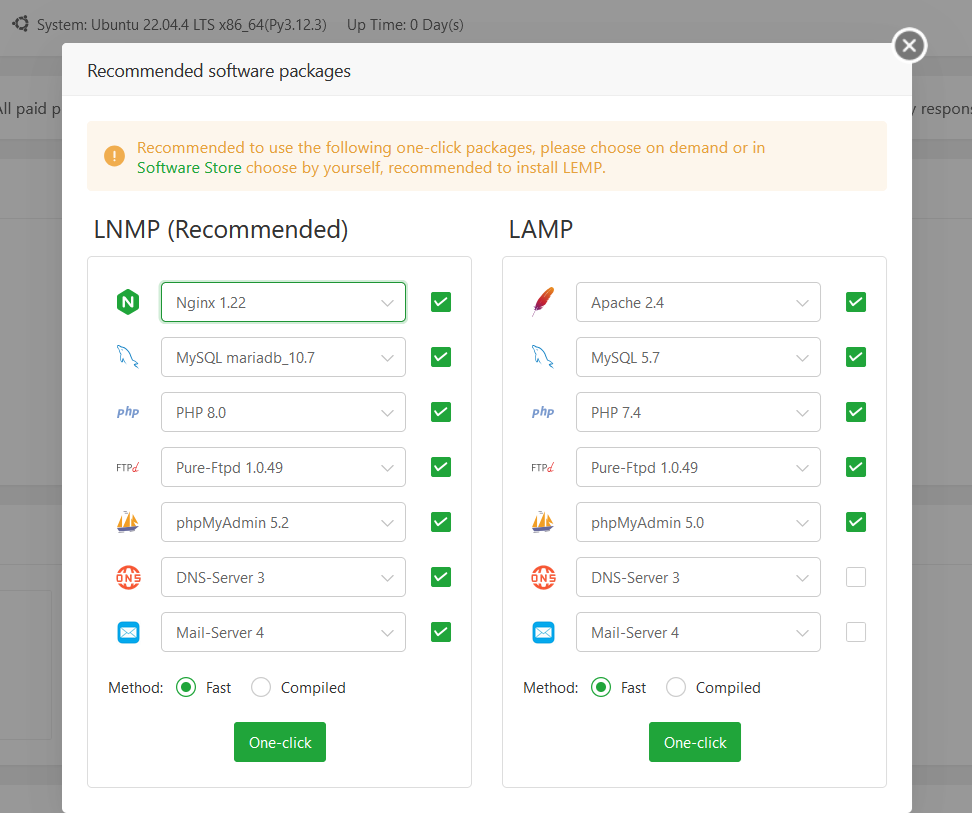
aaPanel has earned its reputation as the go-to solution for administrators who demand simplicity without sacrificing functionality. This control panel transforms complex email server management into an accessible, streamlined experience that works equally well for beginners and experts.
What Makes aaPanel Exceptional:
- One-Command Deployment: Get your entire email infrastructure running with a single command
- Flexible Account Management: Create sub-accounts and configure hosting packages effortlessly
- Automatic DNS Configuration: Eliminate manual DNS setup headaches with intelligent automation
- Seamless SSL Integration: Secure your email communications with automated certificate management
The platform’s intuitive interface makes it perfect for businesses looking to scale their email operations without the typical technical overhead. Its cost-effective approach to cloud computing services ensures you get enterprise-level functionality at a fraction of the cost.
For comprehensive deployment instructions, you can also explore my tutorial on building a free SMTP server using aaPanel for advanced configurations.
Watch my tutorial:
12. HestiaCP: Simplicity Meets Power
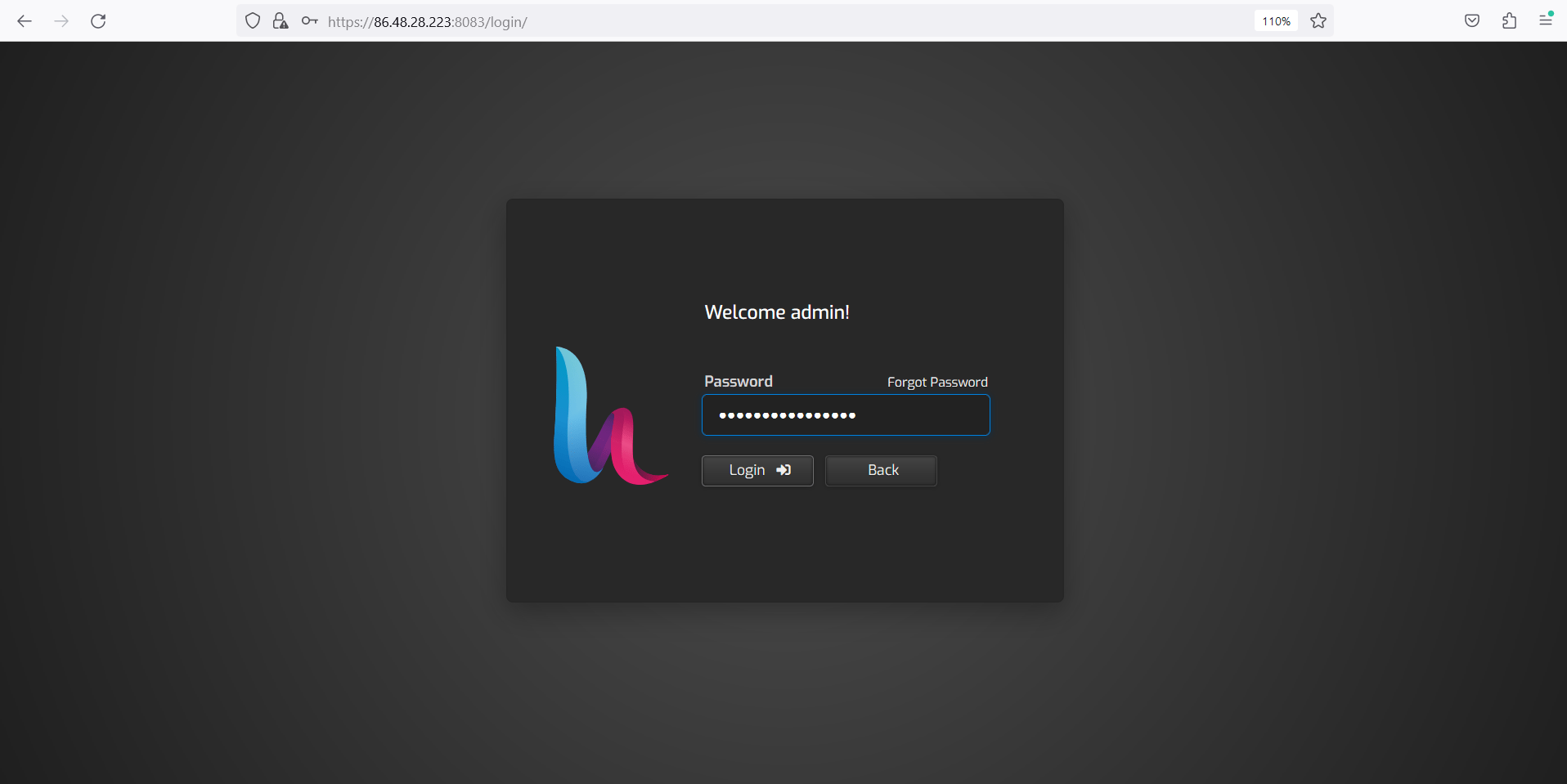
HestiaCP represents the perfect balance between functionality and ease of use. This control panel has gained popularity among system administrators who appreciate clean, efficient interfaces that don’t compromise on capability.
HestiaCP’s Standout Features:
- Streamlined Setup Process: Configure email accounts and DNS settings with just a few clicks
- Unlimited Email Addresses: Create as many email accounts as you need without restrictions
- Universal Protocol Support: Full compatibility with all major email protocols and webmail clients
- Optimized Performance: Efficient resource usage with minimal server requirements
The platform requires modest system specifications – just 4 CPU cores, 4 GB RAM, and 40 GB SSD disk space – making it accessible for businesses of all sizes. Its emphasis on maintaining open port 25 and proper PTR record configuration ensures optimal email deliverability.
Important: Remember that port 25 must remain open for seamless email flow, and don’t forget to configure your PTR record for enhanced deliverability reputation.
Learn more about deploying HestiaCP in my comprehensive HestiaCP setup guide on Contabo VPS and discover how to configure email servers with HestiaCP.
Watch my tutorial:
13. CyberPanel: The LiteSpeed Advantage
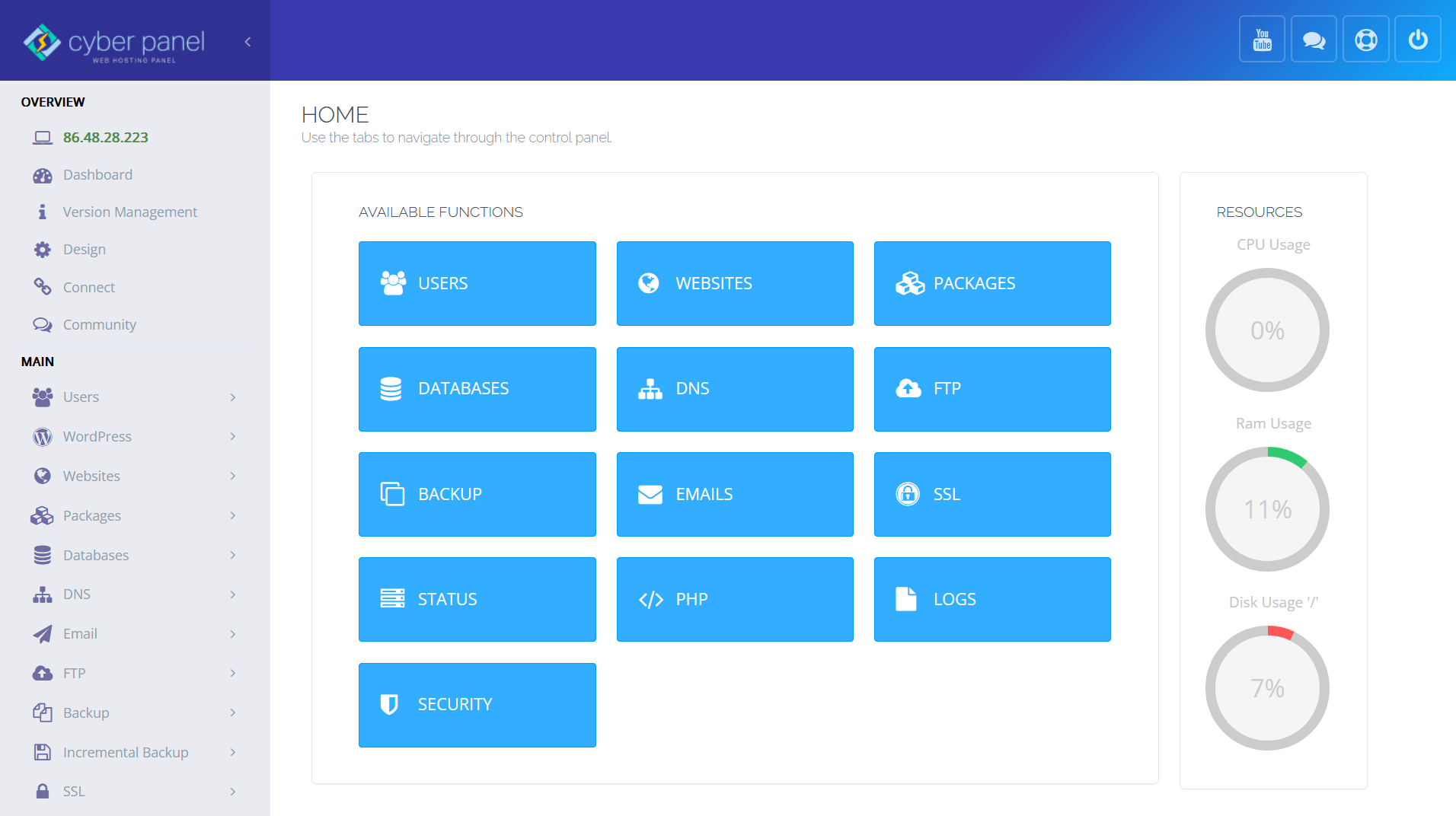
CyberPanel brings enterprise-grade performance to email server management through its integration with the LiteSpeed web server. This powerful combination delivers exceptional speed and reliability that sets it apart from traditional control panel solutions.
CyberPanel’s Performance Edge:
- LiteSpeed Integration: Leverage the world’s fastest web server technology for superior performance
- Built-in Email Management: Comprehensive email handling with RainLoop webmail integration
- Advanced DNS Management: Simplified SPF, DKIM, and DMARC configuration for maximum security
- One-Click SSL Setup: Instant secure connections with automated certificate management
The platform’s focus on speed and simplicity makes it particularly attractive for organizations transitioning from services like G Suite or Google Workspace. Its flexible architecture adapts to various deployment scenarios while maintaining consistent performance.
Security First: CyberPanel’s integrated approach to email security ensures your communications remain protected without requiring complex manual configurations.
For detailed implementation guidance, explore my tutorials on installing CyberPanel on Contabo VPS and setting up free email servers with CyberPanel. You can also learn about adding multiple email domains in CyberPanel and accessing CyberPanel using a domain name.
Watch my tutorial:
14. ISPConfig: The Multi-Server Specialist

ISPConfig stands out as the ultimate solution for organizations managing complex, multi-server email environments. This robust platform handles everything from single-server setups to sophisticated mirrored clusters with equal efficiency.
ISPConfig’s Enterprise Capabilities:
- Multi-Server Architecture: Seamlessly manage single servers, clusters, and mirrored environments
- Cross-Platform Compatibility: Full support for Debian, Ubuntu, and CentOS operating systems
- Integrated Web Services: Unified management of websites and email accounts in one platform
- Flexible Server Support: Compatible with Apache2, Nginx, Postfix, and MariaDB/MySQL
The platform’s strength lies in its ability to scale with your organization’s growth. Whether you’re managing a small business email system or a complex enterprise infrastructure, ISPConfig provides the tools and flexibility needed for success.
Database Integration: Seamless integration with MariaDB or MySQL databases ensures optimal performance and reliability for high-volume email operations.
Discover ISPConfig’s capabilities through my ISPConfig installation guide on Contabo VPS and Ubuntu ISPConfig setup tutorial. For email-specific configurations, check out my ISPConfig mail server guide.
Watch my tutorial:
15. YunoHost: The Complete Self-Hosting Solution

YunoHost takes a comprehensive approach to email server management by providing a complete mail stack that includes Postfix, Dovecot, Rspamd, and DKIM support. This all-in-one solution eliminates the complexity of integrating multiple components.
YunoHost’s Holistic Approach:
- Complete Mail Stack: Integrated Postfix, Dovecot, Rspamd, and DKIM in one package
- Unlimited Account Management: Create and customize email accounts without restrictions
- Universal Client Support: Compatible with all major email clients and mobile devices
- Automated DNS Configuration: Intelligent handling of essential DNS records for optimal delivery
The platform’s strength lies in its ability to provide enterprise-level functionality while maintaining simplicity. Its mobile-friendly design ensures you can manage your email infrastructure from anywhere, though it’s important to verify that your internet provider doesn’t block port 25.
Deployment Consideration: Always verify port 25 availability with your hosting provider before deploying YunoHost to ensure proper email functionality.
Learn how to deploy YunoHost effectively with my YunoHost installation guide on RackNerd VPS and discover how to build your own email server with YunoHost.
Watch my tutorial:
16. Virtualmin/Webmin: The Professional’s Choice
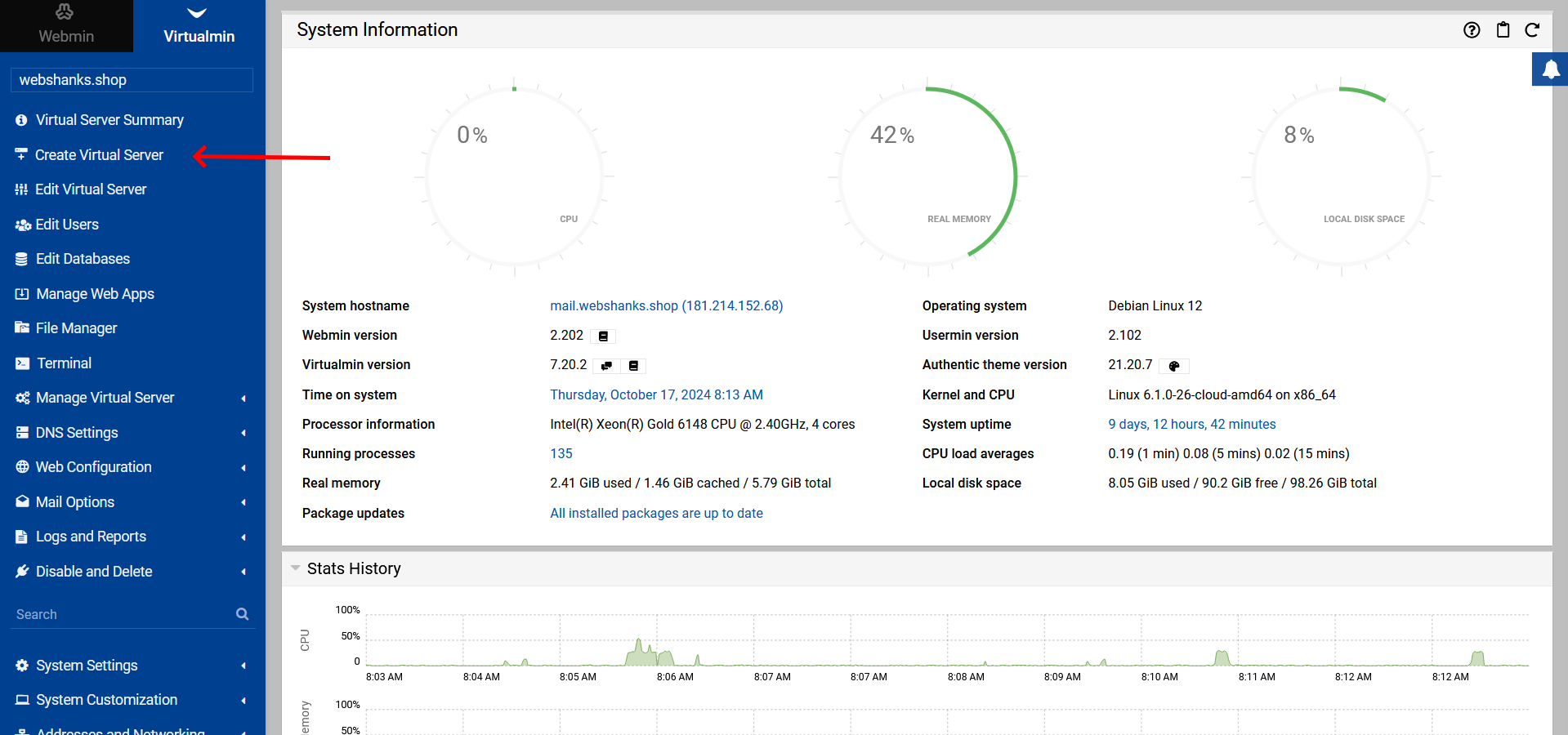
Virtualmin/Webmin represents the pinnacle of professional web hosting control panels for Linux and *BSD systems. Operating within the robust Webmin framework, this solution provides unparalleled flexibility and control for serious email server deployments.
Virtualmin’s Professional Advantages:
- Enterprise-Grade Architecture: Built on the proven Webmin framework for maximum reliability
- Comprehensive Server Management: Handle web servers, databases, and mail services from one interface
- Active Development: Over 16,614 commits on GitHub demonstrate ongoing innovation and improvement
- Affordable Professional Support: Commercial support starting at just $7.50 per month
The platform’s extensive plugin ecosystem allows for virtually unlimited customization, making it particularly valuable for email marketers and system administrators who need to scale operations efficiently. Its streamlined management approach eliminates complex setup procedures while maintaining professional-grade functionality.
Community Support: Strong community backing ensures you’ll find help when needed, while professional support options provide enterprise-level assistance.
Explore Virtualmin’s capabilities through my Virtualmin installation guide on Debian 12 and learn about adding multiple domains and email setup on Virtualmin. For advanced configurations, check out my guide on building email servers with Virtualmin.
Watch my tutorial:
Key Features of Open Source Email Servers
Open source mail servers hand you control over your messages, accounts, and spam filters. You can plug in tools like Dovecot for mailboxes or Postfix as the SMTP server to keep your electronic mail running smooth on Linux or FreeBSD.
Privacy and Security
-
AES-256 at Rest and TLS in Transit: Your emails are encrypted from inbox to server to destination.
-
SPF, DKIM, DMARC & MTA-STS: Prevent spoofing and phishing.
-
ClamAV & SpamAssassin: Scans attachments and detects spam intelligently.
-
Let’s Encrypt SSL: Free SSL certificates for secure mail transmission.
-
Sandboxed Mailboxes: Each user is isolated to limit damage in case of compromise.
Unlimited Accounts and Customization
-
Create unlimited email users and domains with no added costs.
-
Custom settings per domain or user (e.g. for client businesses or cold email campaigns).
-
Admin interfaces like Modoboa and Mailcow UI make domain management easy for non-tech users.
Webmail and Mobile Compatibility
-
Webmail Clients: Roundcube and SOGo provide full-featured web-based inboxes.
-
Mobile Sync: Use IMAP with iOS, Android, and desktop clients like Thunderbird and Outlook.
-
Calendar & Contacts: CalDAV and CardDAV support with SOGo or Nextcloud integration.
Components of an Open Source Email Server
| Component | Purpose | Examples |
|---|---|---|
| MTA (Mail Transfer Agent) | Sends mail between servers using SMTP. | Postfix, Sendmail, Exim |
| MDA (Mail Delivery Agent) | Delivers mail to local mailboxes. | Dovecot, Maildrop, Procmail |
| Webmail Client | Let users access email from browsers or mobile apps. | Roundcube, SOGo |
An open source email server consists of several key parts. The Mail Transfer Agent (MTA) sends emails, while the Mail Delivery Agent (MDA) ensures those messages get delivered to the right inboxes.
You also need a webmail client for users to read their emails from any device. These components work together like gears in a well-oiled machine, making email communication smooth and efficient.
Mail Transfer Agent (MTA)
Mail Transfer Agents (MTAs) play a crucial role in email delivery. They route and deliver emails using the Simple Mail Transfer Protocol (SMTP). Popular MTAs include Sendmail, Postfix, and Exim.
These tools use a “store-and-forward” model to send messages efficiently.
MTAs also handle email authentication protocols like SPF, DKIM, and DMARC. This helps protect against spam and improves security. Email marketers often rely on MTAs for bulk sending their campaigns.
Their ability to track deliveries further enhances marketing strategies. By understanding how an MTA works, system administrators can optimize performance while ensuring email security remains strong.
Mail Delivery Agent (MDA)
Now let’s talk about the Mail Delivery Agent (MDA). An MDA plays a crucial role in managing email after it arrives. It delivers messages directly to local recipients’ mailboxes, ensuring they find their way home safely.
Popular choices like Procmail, Dovecot, and Maildrop excel at handling incoming emails.
The MDA works smoothly with network-aware protocols such as Local Mail Transfer Protocol (LMTP). This system lets MDAs manage messages effectively, providing reliable delivery for email accounts.
If you want to maintain control over your email environment, choosing a powerful MDA is essential for any self-hosting setup or organization using open source email servers.
Webmail Client
A webmail client serves as a bridge between you and your email. It allows users to access their accounts from any device, making it crucial for email marketers and self-hosting enthusiasts.
These clients work seamlessly across platforms like Apple, Windows, Android, and Linux. You can manage emails easily with user-friendly interfaces designed for convenience.
With features like spam detection and mail filters, webmail clients keep inboxes organized. They also support various protocols such as POP3 and SMTP while ensuring compatibility with tools like eGroupware.
Many open-source options let users customize settings to fit their needs perfectly. This flexibility enhances the email experience significantly!
Benefits of Using Open Source Email Servers
Open source email servers offer a great way to cut costs. You gain flexibility, too. Community support thrives in these systems. They allow you to scale easily as your business grows.
With open source options, you can customize templates and settings according to your needs. This adaptability makes them ideal for anyone who wants control over their email infrastructure without breaking the bank.
Cost-Effectiveness
Open source email servers provide organizations substantial savings. They remove costs associated with licensing fees and allow for unlimited account creation without extra charges.
For businesses needing high storage or many users, this translates to significant savings.
Flexible storage allocation enhances the value. Users can adjust their setups to fit their specific needs. With open-source solutions, you receive unparalleled cost-effectiveness compared to proprietary options.
This flexibility allows system administrators and self-hosting enthusiasts to scale their operations without straining their budgets.
Community Support
Community support stands as a key feature of open source email servers. Users can tap into a treasure trove of knowledge and experience from fellow enthusiasts. This active participation fosters deep connections within the tech community.
Email marketers, system administrators, Linux aficionados, and self-hosting geeks all share their insights.
Contributions boost personal growth while advancing collective goals. Networking opportunities arise easily for those who engage regularly in forums or chat groups. Many people benefit significantly from shared resources like troubleshooting guides or best practices.
Finding help is just a message away; others often step up to provide solutions swiftly, making the journey smoother for everyone involved.
Flexibility and Scalability
Community support leads us right into flexibility and scalability. Open source email servers allow you to create unlimited email accounts, which is a game changer for anyone managing a large mailing list or multiple clients.
With these systems, you can allocate storage as needed. This means no more worrying about running out of space when your subscriber count spikes.
Platforms like Mailcow and Modoboa help you scale up with ease. They adapt smoothly to growing demands, whether you’re handling transactional emails or marketing campaigns. WildDuck and Dovecot Pro also focus on high scalability, ensuring your server runs efficiently under heavy loads.
These features empower businesses to grow without worrying about their infrastructure limitations; they put control back in the hands of marketers and system administrators alike!
Conclusion
Open source email servers offer a fantastic way for users to regain control of their communications. With options like iRedMail and Mailcow, you can find solutions that fit your needs.
These platforms prioritize privacy and security, ensuring your data stays safe. Enjoy the freedom to customize features and scale as necessary without breaking the bank. Whether you’re managing a small team or running a larger operation, embracing open-source technology makes sense for everyone involved.
FAQs
1. What are open source email servers, and why do people use them?
Open source mail platforms let you run your own server-side message system. This gives control over the file system and privacy settings. Some folks want to skip big tech’s rules or avoid paying for IaaS subscriptions. Others like tinkering with nameserver tweaks or testing IPv6 support.
2. How does a certificate authority help secure an open source email server?
A certificate authority provides digital certificates that encrypt your messages as they travel over IP networks. Without this layer, hackers could read what you send between Firefox browsers or React-based apps and your inbox.
3. Can these servers handle scaling if my business grows fast?
Yes, but it takes work. You might need to upgrade hardware, adjust the file system layout, or tune network protocols for more users on IPv6 addresses. HetrixTools can track performance so nothing slips through the cracks when demand spikes.
4. What tools do admins use to monitor their open source email platform?
Admins often rely on HetrixTools for uptime reports and alerts about issues in real time. They also watch logs from their nameserver setup and check connections using browser clients such as Firefox when troubleshooting problems across different devices or locations.